AccuRaik Logo
AccuRaik Logo
Pricing Plans
Get Started Free Sign In to Existing Account
Made for Indian CAs and accountants

Invoices and bank statements into Tally, Excel or CSV. AI reads them, you check them.

Upload a GST invoice or bank statement, check each field beside the original, and export in one click.

No credit card needed · 30 documents, valid for 30 days

What is AccuRaik? A web app for Indian accountants. Upload a GST invoice or bank statement, check each extracted field next to the original, then export Tally XML, Excel or CSV, or push straight into Tally with the Windows connector.

AccuRaik at a glance

The facts in one place, so you can decide in a minute.

Reviewed

AccuRaik is invoice and bank-statement data entry software for Indian accountants. It is made for CA firms, accountants, bookkeepers, small businesses and finance teams who type bills into Tally or Excel.

Reads
GST invoices (PDF, JPG or PNG, up to 15 MB each), including scans, photos and handwritten bills, and bank statement PDFs.
Exports
Tally XML, Excel or CSV, or a direct push into Tally with the Windows connector. See how →
Banks
7 banks have dedicated parsers: SBI, HDFC, ICICI, Axis, PNB, Central Bank and AU. Others use a general parser. All banks →
You stay in control
You review every field next to the original before anything is exported.
Runs on
Any web browser. The Windows app is only needed for a direct push into Tally.
Clients and team
1 to 500 client companies, depending on plan. Team seats with Manager, Reviewer and Viewer roles come with CA Firm Pro and Business Suite.
Free trial
30 documents, valid for 30 days, no credit card needed.
Paid plans
From ₹499 a month (₹399 with annual billing), for 300 to 5,000 documents a month. See plans →

How does AccuRaik work?

Three steps, and you stay in control of what goes into your books.

  1. 1. Upload

    Drop in purchase or sales invoices (PDF, JPG or PNG, up to 15 MB each) or bank statement PDFs, including password-protected ones.

  2. 2. Review

    AI fills in vendor, GSTIN, dates, line items, HSN/SAC and the CGST/SGST/IGST split. You check each field beside the original, fix anything wrong, and approve.

  3. 3. Export

    Download Tally XML, Excel or CSV from the Export Center, or push approved vouchers straight into Tally with the Windows connector.

What can AccuRaik read?

Clean invoices, bank statements, and the messy documents in between.

GST invoices

Purchase and sales invoices, credit and debit notes, as PDF, JPG or PNG.

  • Vendor, GSTIN, invoice number, dates, line items and HSN/SAC
  • CGST, SGST or IGST split, worked out from the GSTINs
  • Same GSTIN and invoice number as an earlier bill is flagged as a possible duplicate
More on invoice OCR

Bank statements

PDF statements, even long or password-protected ones.

  • Every transaction listed, with a balance check: opening + credits − debits = closing
  • Cash withdrawals, deposits and self transfers marked as Contra
  • Export as Excel, CSV or Tally payment, receipt and contra vouchers
More on bank statements

Scans, photos and handwriting

Phone photos and scans of printed bills work, and so do handwritten bills and faded transport receipts.

  • PDF, JPG or PNG, up to 15 MB each
  • A multi-page PDF holding several invoices can be split into separate vouchers
  • Handwriting varies a lot, so the review screen is where you catch anything misread

Which fields does AccuRaik fill in for you?

Each of these is a field on the review screen. Anything the AI cannot find stays empty for you to fill.

Invoice details

Type (purchase, sales, credit note, debit note, receipt), invoice number and date, due date, PO number and date, challan number, payment terms.

Parties

Vendor name and GSTIN, buyer name and GSTIN, place of supply, dispatch-from and ship-to addresses.

Tax and totals

Taxable amount, CGST, SGST, IGST, discount, freight, packaging, TCS, round-off, total and the reverse-charge flag.

Transport and e-invoice

E-way bill number, vehicle number and IRN.

Line items

Item name, HSN/SAC code, quantity and unit, plus the Tally ledger or stock item each line should post to.

Payment details

Bank name, account number, IFSC and UPI ID.

Every GSTIN goes through the GST checksum. One that fails is flagged for review, so a mistyped number does not slip into Tally.

Which banks does AccuRaik support?

Seven banks have dedicated statement parsers. Every other Indian bank goes through a general parser.

Dedicated parsers

Built around each bank's own statement layout.

General parser

Everything else, including these. Check the result before you export.

You stay in control

Why do you still check every field?

Because accuracy depends on how clean the scan or PDF is, and nothing should reach your books unchecked. The review screen puts the original document next to the extracted data so a wrong figure takes seconds to spot.

  • Original and extracted fields side by side
  • Fix any field before you approve
  • Move through a queue with the keyboard

We do not publish an accuracy percentage yet, and we would rather show you than promise one. Test it on your own files with the free 30 documents.

How does the data reach Tally?

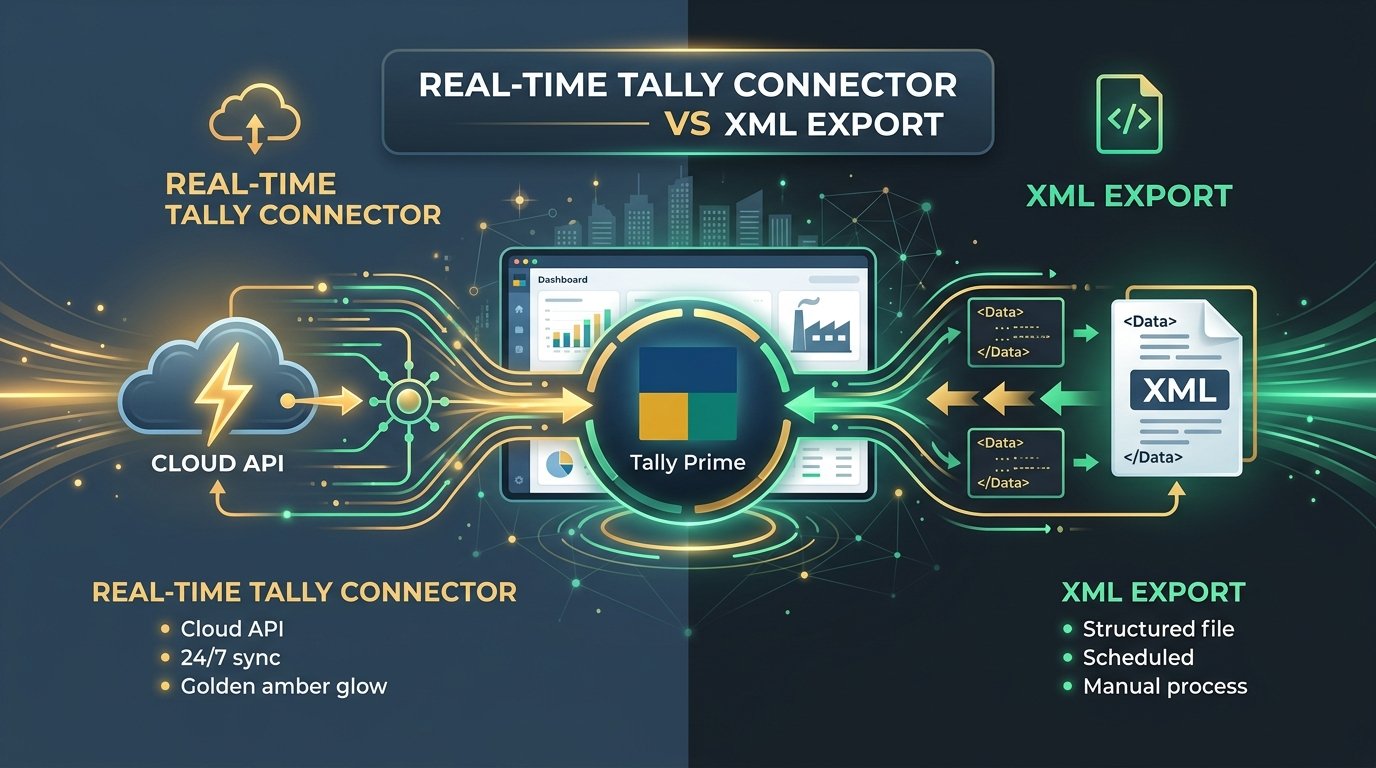
Two ways, and neither needs retyping. Pick the one that suits how you work.

Option 1

Download Tally XML

Export a voucher file from the Export Center and import it into Tally Prime or Tally ERP 9. Works on any computer.

Option 2

Push with the Tally Connector

A Windows app that runs on the PC where Tally is open and sends your approved vouchers over Tally's port 9000. It can create missing party and tax ledgers so Tally does not reject a voucher.

Needs: a Windows PC, Tally running, an AccuRaik account (download is behind sign-in).

No Tally?

Excel or CSV

Use the same review screen and export clean Excel or CSV registers. Tally is optional.

Built for firms with many clients

Keep every client's books separate, and let your team help without sharing one login.

One company per client

Each client is its own company, so uploads, review and exports stay separate. Plans allow 10, 100 or 500 companies.

Team seats and roles

Invite staff as Manager, Reviewer or Viewer. Only the workspace owner assigns Manager. CA Firm Pro has 3 seats and Business Suite has no seat limit; Free and Pro Accountant have 1.

Exports per client

Tally XML and Excel exports are made for the client company you are working in, so one client's vouchers never land in another's books.

See how CA firms use AccuRaik

Who is AccuRaik for, and who is it not for?

A quick, honest fit check saves you a trial.

A good fit if you…

  • type GST purchase or sales bills into Tally or Excel every month
  • turn bank statement PDFs into vouchers or a register
  • manage several client companies and want each one kept separate
  • are happy to review each field before it is exported

Not the right tool if you…

  • need GSTR-2B or ITC reconciliation (not built yet)
  • expect perfect results from very blurry or torn pages (some fields will need fixing)
  • want fully unattended posting with no human check
  • need the direct Tally push on a Mac or phone (the connector is Windows only)

How do you test AccuRaik fairly?

You do not have to trust our claims. Here is a simple way to check it on your own work.

  1. Step 1

    Pick documents you already entered

    Say 10 to 20 invoices and one bank statement, so you already know the right answers.

  2. Step 2

    Upload them on the free plan

    You get 30 documents for 30 days, and no credit card is needed.

  3. Step 3

    Review and count your fixes

    Note how many fields you had to correct, and how long each document took.

  4. Step 4

    Put your numbers in the calculator

    Use your real minutes per document to see which plan, if any, pays for itself.

Which plan fits you, and what could you save?

Enter your monthly volume for a plan suggestion and a savings estimate built from your own numbers. Nothing is sent until you choose to.

Your numbers

Invoices and bank statements together. Each uploaded file counts as one document.

Use 1 if it is only your own business.

Change my time and cost assumptions

These are starting guesses, not measurements. Replace them with your own averages.

Suggested plan

Entering it by hand

With AccuRaik

This is an estimate from the numbers you entered, not a guarantee. Your real time depends on how clean your documents are. You still check every field in AccuRaik, which is why review time is counted.

Want us to go through this with you?

Leave your details and we will get back to you about the plan above. Your numbers are attached so you do not need to repeat them.

How much does AccuRaik cost?

Start free. Pay monthly, or save with annual billing, when you need more documents.

Free

₹0 30 days

  • 30 documents to try
  • 1 company
  • 1 seat
Start free

Pro Accountant

₹499 /month

  • 300 documents / month
  • 10 companies
  • 1 seat
Start free

CA Firm Pro

₹1,299 /month

  • 1,500 documents / month
  • 100 companies
  • 3 seats
Start free

Business Suite

₹2,999 /month

  • 5,000 documents / month
  • 500 companies
  • Unlimited seats
Start free

Each uploaded file counts as one document. Need more than 5,000 documents or 500 companies? Ask us for a quote.

How is your data handled?

Plain facts, not badges we have not earned.

Encrypted in transit

Uploads travel over HTTPS.

Sensitive fields encrypted

Bank account numbers, IFSC and UPI IDs are stored encrypted.

Separate workspaces

Each firm works in its own workspace with role-based access.

AI providers named

Documents are sent to Google Gemini and OpenAI to be read. You can ask us to delete your data.

Read the security page and the privacy policy for the full detail.

Terms in plain words

The few words you will see on the review screen and in exports.

GSTIN
The 15-character GST registration number of a business. Its last character is a checksum, which is how a mistyped GSTIN can be caught.
HSN / SAC
The classification code printed against each item on a GST invoice: HSN for goods, SAC for services.
Tally XML
A file in the format Tally reads, so it can create vouchers and ledgers without anyone retyping them.
Voucher
A single accounting entry in Tally, such as a purchase, sale, payment or receipt.
Contra voucher
A Tally entry for money moving between your own cash and bank accounts, like an ATM withdrawal or a cash deposit.
Tally Connector
AccuRaik's Windows app that sends approved vouchers straight into Tally, so there is no XML file to import.

Free tools for accountants

Handy calculators, whether or not you use AccuRaik.

All free tools

What has AccuRaik shipped so far?

Four releases, newest first.

All release notes
  1. v1.3.0

    Direct Tally Connector and a simpler Export Center

    A Windows app that pushes approved vouchers into Tally, and one place for all your exports.

  2. v1.2.0

    Tally Prime and ERP 9 XML export with multi-client ledgers

    One workspace for many client companies, with plans you can pick yourself.

  3. v1.1.0

    Batch splitter, review queue and GSTIN validation

    Multi-page PDFs split into separate vouchers, a keyboard-driven review queue, and a GSTIN checksum check.

  4. v1.0.0

    Launch: GST invoice OCR and bank statement automation

    AI reading of Indian GST invoices, automatic ledger categories, and Excel and CSV export.

Questions people ask

What is AccuRaik?

AccuRaik is a web app for Indian accountants. You upload GST invoices or bank statements, it reads them with AI, you check every extracted field next to the original, and then you export Tally XML, Excel or CSV, or push vouchers straight into Tally with the Windows connector.

Is there a free plan?

Yes. You get 30 documents free, valid for 30 days after sign-up, and no credit card is needed. Paid plans start at ₹499 per month.

Do I need Tally to use AccuRaik?

No. You can export Excel or CSV without Tally. If you use Tally Prime or Tally ERP 9, you can download an XML file to import, or use the Windows Tally Connector to push approved vouchers directly.

Which banks does AccuRaik support?

SBI, HDFC, ICICI, Axis, PNB, Central Bank of India and AU Small Finance Bank have dedicated statement parsers. Statements from other banks go through a general parser, so check the result before you export.

How accurate is the extraction?

We do not publish an accuracy percentage yet. Accuracy depends on how clean the scan or PDF is, which is why you check every field on the review screen, next to the original document, before anything is exported.

Does AccuRaik catch duplicate invoices?

Yes. A bill with the same GSTIN and invoice number as one you already uploaded is flagged as a possible duplicate, so you do not enter or pay it twice.

Is my data safe?

Uploads travel over HTTPS, sensitive fields such as bank account numbers are stored encrypted, and each firm works in its own workspace with role-based access. To read documents, AccuRaik sends them to AI providers (Google Gemini and OpenAI). You can ask us to delete your data; the security page has the details.

Does AccuRaik do GSTR-2B or ITC reconciliation?

Not yet. AccuRaik extracts the GST fields into a register you can export to Excel, and you reconcile that against the GST portal yourself.

What files can I upload, and how many?

Invoices can be PDF, JPG or PNG files of up to 15 MB each, and bank statements can be PDFs, including password-protected ones. How many you can process is set by your plan's monthly document limit.

Can it read handwritten invoices?

Yes. AccuRaik can read handwritten bills and faded receipts as well as printed and digital invoices, including scans and phone photos. Handwriting varies a lot, so check each field on the review screen before you export.

How much does AccuRaik cost?

Free: 30 documents to try. Pro Accountant: ₹499 per month for 300 documents and 10 companies. CA Firm Pro: ₹1,299 per month for 1,500 documents, 100 companies and 3 team seats. Business Suite: ₹2,999 per month for 5,000 documents and 500 companies. Annual billing is cheaper.

Built by Sagar Rayaka

Sagar is the founder of AccuRaik, which is made for Indian accountants who spend their month typing bills into Tally. Read the founder's page, or get in touch with a question.

About the founderContact us

Try it on your own invoices and bank statements

Process 30 documents free for 30 days. See what AccuRaik extracts, fix anything that is wrong on the review screen, and export to Tally, Excel or CSV.

Start free – 30 documents

No credit card needed

Not ready to sign up? Ask for a demo

Tell us what you process and we will get back to you.

We use your details only to reply to this request.